
Commands
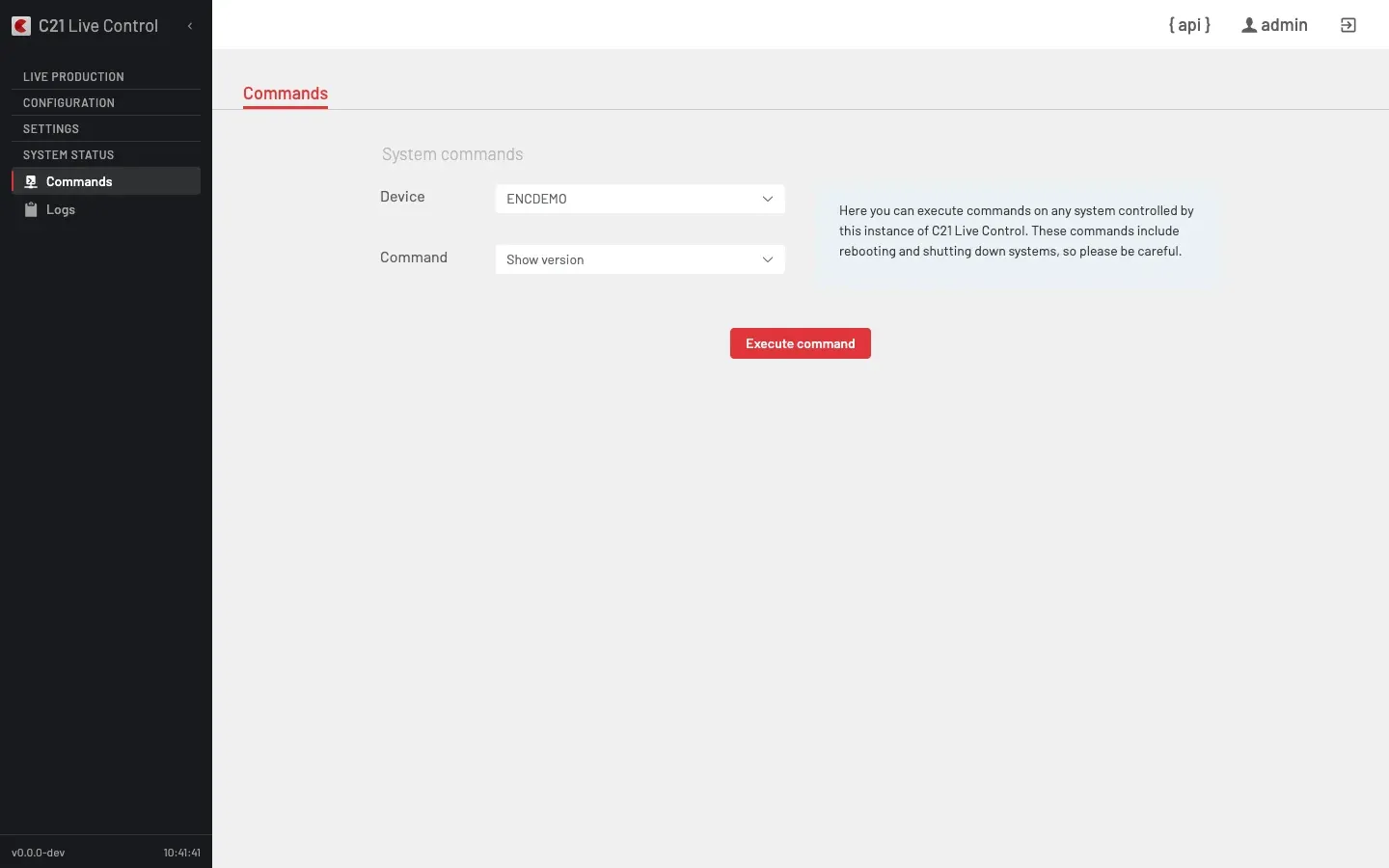
What it does
System status → Commands runs maintenance commands against any system this C21 Live Control instance manages — the Control host itself or any registered C21 Live Encoder. You pick the target Device and the command, run it, and read the result inline.
Some commands touch the running system, so the view warns up front — "Here you can execute commands on any system controlled by this instance of C21 Live Control. These commands include rebooting and shutting down systems, so please be careful." — and asks for confirmation before the destructive ones.
UI Interface
| Control | Purpose |
|---|---|
| Device | Target system. The picker includes this Live Control instance plus every registered Encoder. |
| Command | The command to run (see the catalogue below). |
| Execute command | Runs the selected command on the selected Device. |
| Command output | The result of the command is shown inline once it returns. |
Destructive commands open a Confirm action dialog before running. Upload license additionally prompts for the license file to send.
Command catalogue
| Command | What it does |
|---|---|
| Show version | Returns the software name, version and release of the target. |
| Show licenses | Lists the license slots installed on the target. |
| Show system ID | Returns the host fingerprint used to request a license. |
| Software restart | Restarts the target's software stack. Asks for confirmation first. |
| Database backup | Triggers a database backup on the target. |
| Upload license | Sends a license file to the target and installs it. |
The catalogue adapts to the selected Device; a given target only offers the commands that apply to it.
API surface
Every command dispatches to a single endpoint. The action field selects the operation and ip selects the target Device (the Control answers on 127.0.0.1; an Encoder on its LAN address).
| Command | Request |
|---|---|
| Show version | POST /c21apiv2/system/command — { "action": "getVersion", "ip": "<device-ip>" } |
| Show licenses | POST /c21apiv2/system/command — { "action": "getLicenses", "ip": "<device-ip>" } |
| Show system ID | POST /c21apiv2/system/command — { "action": "getSystemId", "ip": "<device-ip>" } |
| Software restart | POST /c21apiv2/system/command — { "action": "restartSoftware", "ip": "<device-ip>" } |
| Database backup | POST /c21apiv2/system/command — { "action": "downloadDbBackup", "ip": "<device-ip>" } |
The Device picker is populated by GET /c21apiv2/devices?includeControl=1 — the includeControl flag adds this Live Control instance to the list of registered Encoders.
Cross-links
- Logs — read the log tail of the same Devices.
- Devices — register the Encoders that appear in the Device picker.
- Licenses — the slots that Show licenses reports and Upload license installs.
- Install C21 Live Control — the
livecontrolCLI equivalents (version,license,backup,restart) on the host.
FAQ
includeControl=1, so the Control host appears alongside the Encoders it manages.livecontrol CLI exposes the same operations — livecontrol version, livecontrol license verify, livecontrol backup, livecontrol restart. See Install C21 Live Control.