
Target Folders
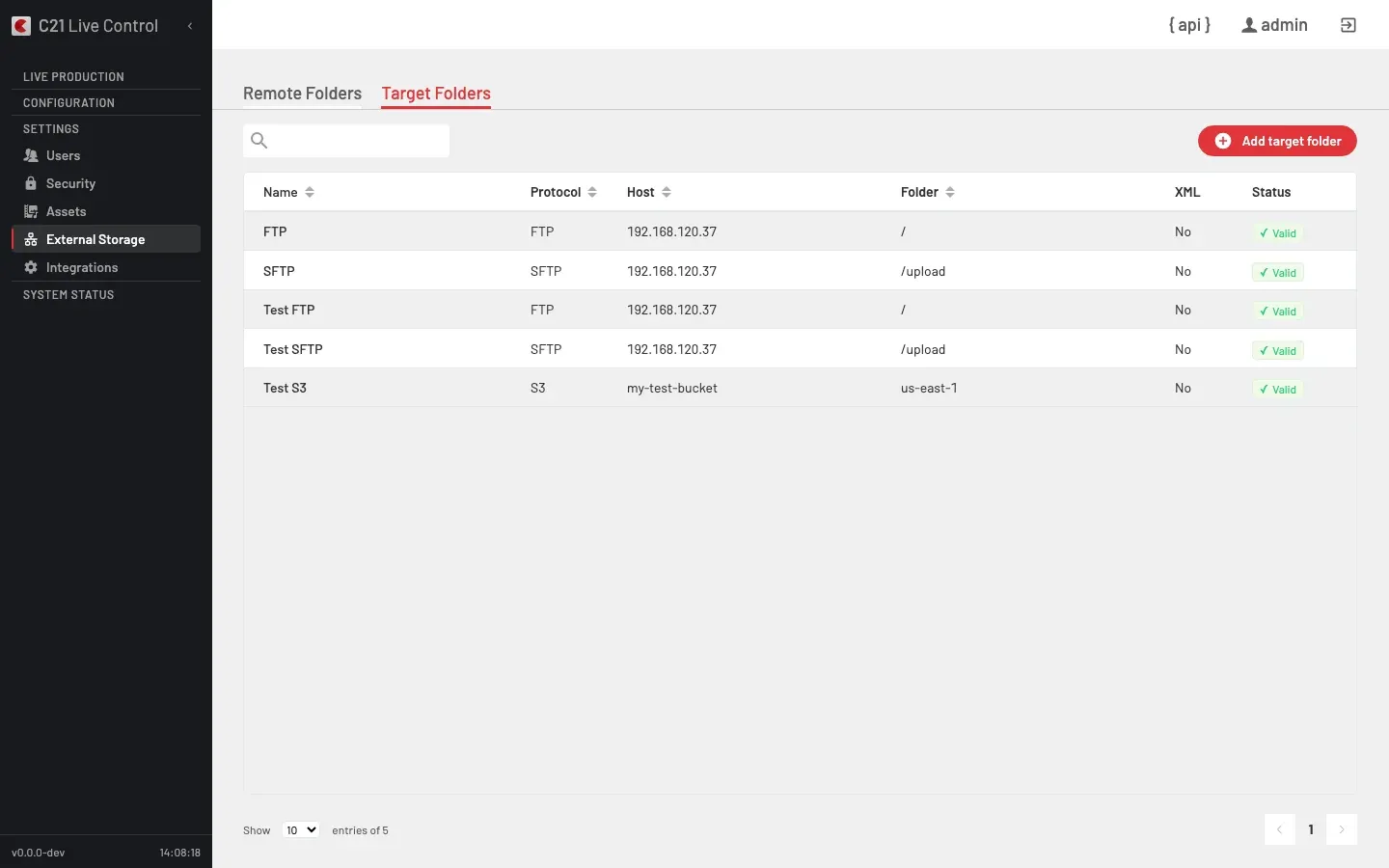
The Target Folders tab of the External Storage section catalogues the FTP, SFTP and S3 destinations the Recordings Editor uses to deliver cut clips. The other External Storage tab is Remote Folders — network shares used to back up Recordings before retention.
What it is
The Editor's Send to action delivers a cut clip (and an optional XML metadata sidecar) to the chosen Target Folder. Each Target Folder is a saved connection record — the operator picks one from the dialog and the credentials, host and path travel with the request as an id reference rather than inline.
Every operation requires the System Administrator role. Passwords and S3 secret keys are write-only on the API — GET responses return has_password: true/false instead of the stored value.
Form fields per protocol
FTP
| UI label | API field | Notes |
|---|---|---|
| Name | name | Display name. |
| Host | host | FTP server hostname or IP. |
| Port | port | FTP port. Default 21. |
| Folder | folder | Remote directory path. |
| User | user | FTP username. |
| Password | password | FTP password. Write-only. |
| Include XML metadata file | xml_enabled | When true, an XML sidecar is generated and uploaded alongside the video. |
SFTP
| UI label | API field | Notes |
|---|---|---|
| Name | name | Display name. |
| Host | host | SFTP server hostname or IP. |
| Port | port | SSH port. Default 22. |
| Folder | folder | Remote directory path. |
| User | user | SSH username. |
| Password | password | SSH password. Write-only. |
| Include XML metadata file | xml_enabled | Same semantics as on FTP. |
S3
The S3 form relabels the fields the UI shows, but the persisted column names on the API remain the same as on FTP / SFTP:
| UI label | API field | Notes |
|---|---|---|
| Name | name | Display name. |
| Bucket | host | S3 bucket name (stored on the host field). |
| Region | folder | AWS region (stored on the folder field). |
| Access Key ID | user | AWS Access Key ID (stored on the user field). |
| Secret Access Key | password | AWS Secret Access Key (stored on the password field, write-only). |
| Include XML metadata file | xml_enabled | Same semantics as on FTP. |
In the Target Folders list, the Host column shows the S3 bucket name for S3 entries (it is not relabelled to Bucket on the list view). The distinction is carried by the Protocol column.
Listing columns
The Target Folders list exposes six columns: Name, Protocol, Host, Folder, XML and Status.
XML metadata sidecar
When xml_enabled = true, the Editor generates an XML sidecar from a deployment-side template and uploads it alongside the video file. The template carries placeholders for clip title, description, category, publishing destination and timestamps. Templates are customised per deployment by the System Administrator at install time — operators only fill the fields in the Send-to dialog.
Validate
The Validate Connection action calls POST /c21apiv2/crud/targetfolders/{id}/validate. The check runs:
- FTP — connect + login, 5-second timeout.
- SFTP — SSH connect + auth, 5-second timeout.
- S3 —
HeadBucketagainst the configured region and credentials, 5-second timeout.
The response updates validation_status, validation_date and (on failure) a sanitised validation_error.
API reference
| Action | Method + path |
|---|---|
| List | GET /c21apiv2/crud/targetfolders |
| Read | GET /c21apiv2/crud/targetfolders/{id} |
| Create | POST /c21apiv2/crud/targetfolders |
| Update | PUT /c21apiv2/crud/targetfolders/{id} |
| Delete | DELETE /c21apiv2/crud/targetfolders/{id} |
| Validate Connection | POST /c21apiv2/crud/targetfolders/{id}/validate |
Cross-links
- Recordings Editor — Send to delivery, the per-clip flow that consumes Target Folders.
- Remote Folders — the other External Storage tab, for retention backup.
- MediaCopilot integration — separate delivery path for clips to a MediaCopilot tenant (account-based, not a Target Folder).
FAQ
id on their Editor Send to dialog. Only a System Administrator can create or modify the entries.