
Groups
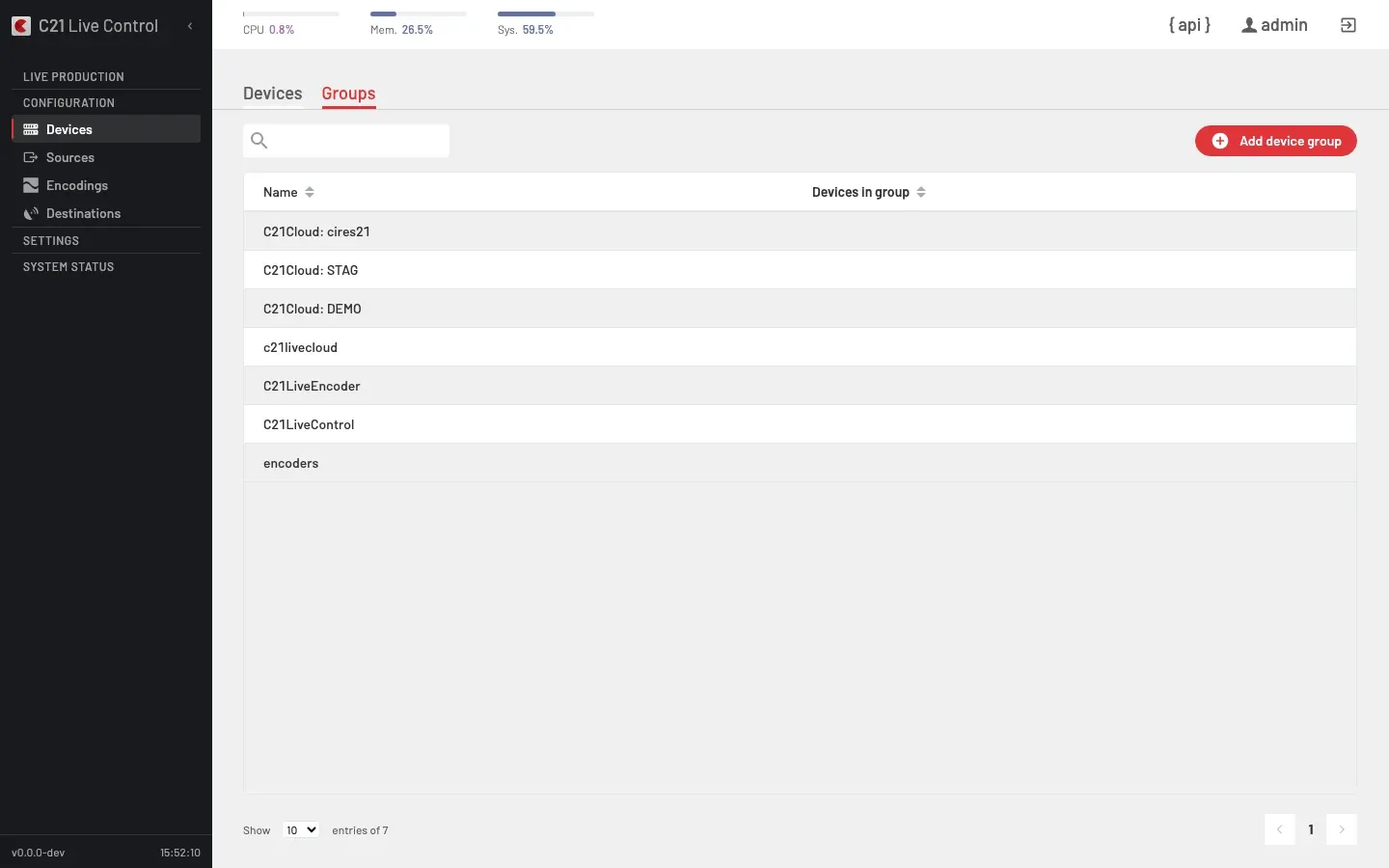
What is a Device group
A Device group is a named bundle of Devices — a single allocation pool a Live stream can target instead of pinning to one Device by name. The same Device can sit in several groups; the same group can back several Live streams.
All members of a Device group must share the same type (Encoder, Control, etc.) — mixed-type groups are rejected. For Encoder groups, the licence checker additionally requires either every member to have a QSV interface, or none of them.
System-managed groups
Some Device groups (the C21Cloud:-prefixed groups and the c21livecloud / C21LiveEncoder / C21LiveControl groups) are system-managed: the platform seeds them automatically — for example when a C21 Live Cloud account is linked — and uses them to place broadcasts on-prem or in the cloud. They are hidden from the Groups list and protected from edits: the API rejects any attempt to modify or delete one, so they cannot be changed by accident while the start flows that depend on them keep working.
Listing
The Groups tab exposes two columns in the list:
| Column | Notes |
|---|---|
| Name | Group name (sortable). |
| Devices in group | Member count (sortable). |
The description and members fields exist on the backing object but surface only inside the group detail drawer.
The search field on the Groups tab accepts text but does not filter the list in the current UI release. To narrow the view, sort by Name or Devices in group.
How a Live stream uses a Device group
A Live stream binds either a single Device or a Device group. When a Live stream is started against a group, the start flow resolves which member of the group runs the broadcast for this session and records the encoderGroup on the running Live stream. The start endpoint exposes the resolved choice; the runtime status from then on is owned by the running broadcast itself.
Cross-links
- Devices for the per-Device catalogue and add flow.
- Live streams overview for the binding from a Live stream to its Device or Device group.
FAQ
type. The API rejects mixed-type groups at save time.