
Options
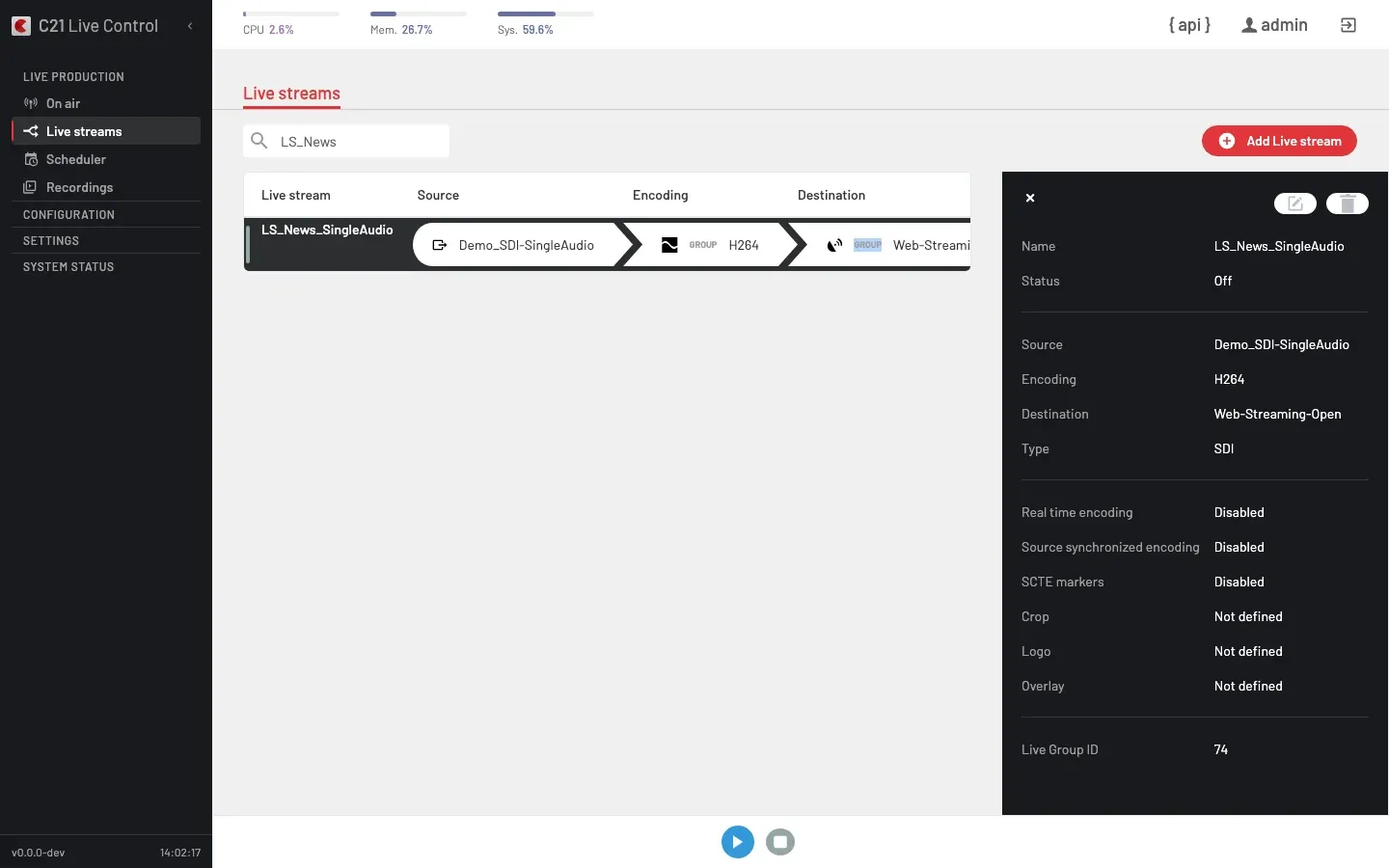
What you see
The Live stream options panel is a single flat properties list. It is the page an Operator opens to confirm how a Live stream is configured and see its current status.
The panel opens as a right-side drawer when you double-click a row on the Live streams list. The X on its top-left corner closes it.
When the Live stream is running the panel renders the alert "Live stream is running. Stop it to make changes." and the editor is locked. Runtime operations on a running broadcast (logo, blackout, source switch, Destinations toggle, text overlay, metadata) live in the On air view.
Properties
The panel exposes:
| Field | Notes |
|---|---|
| Name | Display name reused across the UI, API and logs. |
| Status | "Live" when the Live stream is running (LiveStream.status > 0), otherwise "Off". |
| Source | The bound Channel. |
| Encoding | The bound Encoding or Encoding group. |
| Destination | The bound Destination or Destination group. |
| Type | The Channel type that ultimately feeds the broadcast. |
| Real time encoding | Enabled or Disabled, reflecting the real_time_encoding flag on the Live stream. Used for sub-second flows — see Real Time streaming to Dolby Millicast. |
| Source synchronized encoding | Enabled or Disabled, reflecting the source_sync_encoding flag. |
| SCTE markers | Enabled or Disabled, reflecting whether the broadcast preserves SCTE-35 cue points. |
| Crop | Left / Right / Top / Bottom values, or "Not defined". |
| Logo | Asset filename plus position, or "Not defined". |
| Overlay | Text, color, font, size, position, or "Not defined". |
| Live Group ID | Internal identifier of the Live stream. Matches the id returned by GET /c21apiv2/livestreams/{id}. |
Lifecycle controls
| Action | Effect |
|---|---|
| Edit | Open the editor. Locked while the Live stream is running. |
| Delete | Remove the Live stream after a confirm dialog. |
To start or stop a Live stream use the footer buttons on On air or on the Live streams list — see Start and stop. There is no public Restart operation; to restart, stop the Live stream and start it again.
Cross-links
- Live streams overview for the list view and the editor fields.
- Scheduler for scheduled / recurring Live streams.
- Recordings for the captures produced by Live streams that bind a
Record-type Destination.
FAQ
LiveStream.status is binary on the API: 0 means the broadcast is off (the badge reads "Off"), 1 means it is on (the badge reads "Live"). Encoder-level health is reported separately on LiveStream.errorstatus, which the UI surfaces as coloured indicators on the on-air row's entrypoints rather than as a badge label.