
Groups
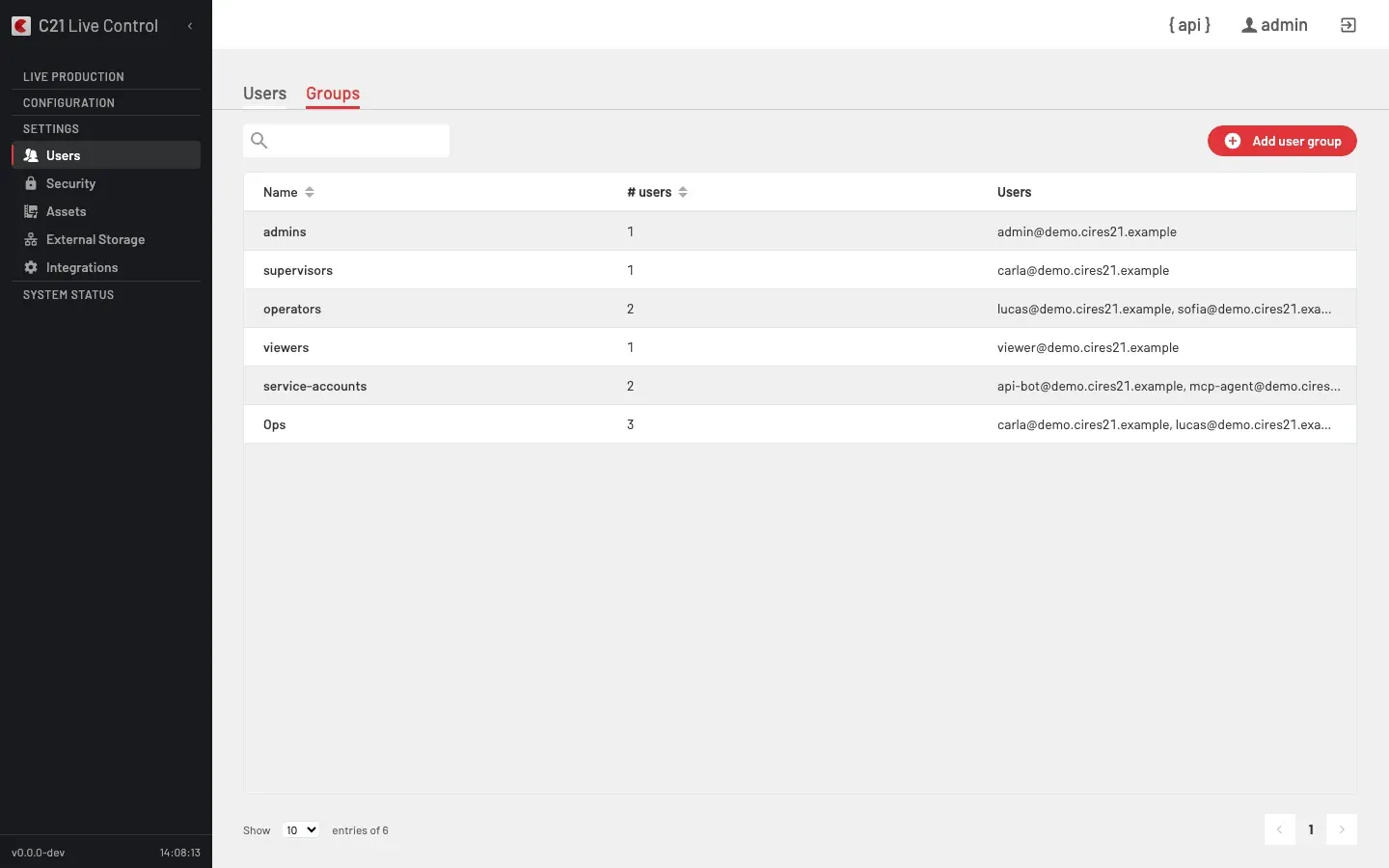
What you see
C21 Live Control models access in two layers:
- A User group is a membership collection. Users are grouped to make rosters, filters and bulk operations meaningful (one group per shift, one per studio, one per integration team).
- A User profile is the set of access-relevant fields attached to each user. The role on the user (
user_role) together with those fields decides what the user can do.
The two layers are independent. A user can belong to one or more User groups, and each user has one User profile that governs their access.
GET /c21apiv2/crud/usergroups).User group entity
The Groups list exposes three columns:
| Column | Notes |
|---|---|
| Name | Display name (sortable). |
| # users | Member count (sortable). |
| Users | CSV list of the members' username. |
The underlying field for members is elements (an array of User.id); the UI derives the Users column from it. User groups expose only those fields — they are not where permissions are encoded. To change what a user can do, change the user's role or their User profile fields, not the User group.
User profile fields exposed in the User editor
The Users editor (see Users) intermixes User profile fields with User fields. The access-relevant fields are:
| UI label | Underlying field | Notes |
|---|---|---|
| Language | language | UI language: 1 = English, 2 = Español. |
| API user | api | Whether this user is allowed to obtain API tokens. |
| Admin | admin | Whether this user has admin privileges inside the app. |
| Role | role | The user's role (see below). |
| Password version | password_version | 1 = regular policy, 2 = strong policy. |
| Date active | date_active | Timestamp at which the profile became active. |
| Last password change | last_password_change | Timestamp of the last successful password change. |
Roles
The two product roles:
| Role | user_role | Notes |
|---|---|---|
| System Administrator | 1 | Full access. Required to manage users, User groups, licences, integrations and the system surface. |
| Operator | 2 | Drives the day-to-day broadcast: On air, Live streams, the Scheduler, Recordings. |
API token CRUD requires the System Administrator role. API tokens authenticate as one of these two roles by inheriting the role of the user they were issued to; there is no separate role for non-human callers.
Managing User groups
Create
Open Add user group, give it a name and pick its members from the user list.
Edit members
Open the group and add or remove members from the members list. A user can belong to several User groups; adding them to a new group does not remove them from the others.
Delete
Open the group and choose Delete. The members survive; only the group itself is removed.
FAQ
POST /c21apiv2/security/tokens for that user. The token authenticates as the user (and inherits the user's role). There is no separate role for non-human callers in the schema.